GitHub
Github is a code hosting platform with open source Version Control System. Developers can store, manage, track and control changes to their code. Developers can also collaborate on projects and contribute to other open source projects.
Wait What?
-
What is Version Control System?
Version control systems helps in recording changes made to files by keeping a track of modifications in code.With Version control system you can recall specific versions later.
-
What is open source?
Open source is source code that is made freely available for possible modification and redistribution. Products include permission to use the source code, design documents, or content of the product.
-
What is meant by collaborate and contribute?
collaboration is the practice of two or more people working together by sharing knowledge, experience and skills. while Contribution means adding,improving code, documentation, test cases etc. for open source projects.
Github: Where the world builds software
- Go to GitHub website.
- You have to Sign up by creating your account.
- Provide a valid email that is not already registered with Github.
- Create a Strong password of at least 15 characters OR at least 8 characters including a number and a lowercase letter.
- Choose a unique username that is not already taken.
- Choose if you want to listen for github news & updates or not.
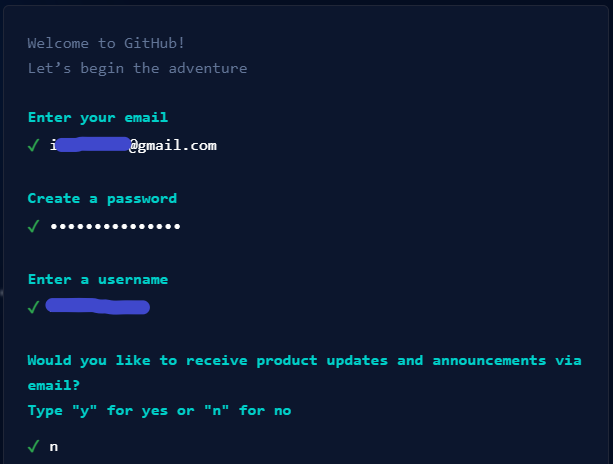
Github: Where the world builds software
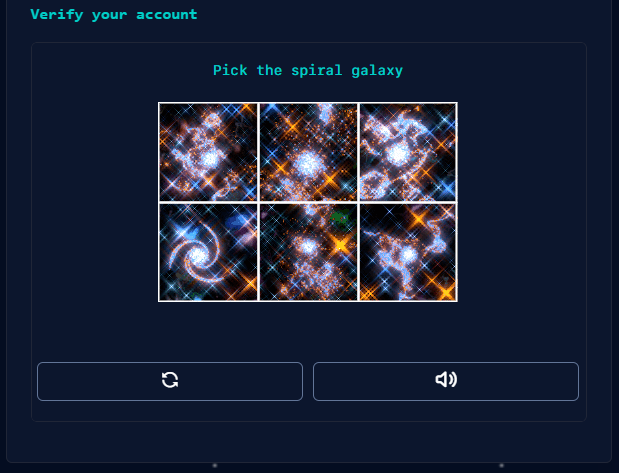
- solve the puzzle presented to verify your account.
- Create account if you agree with Privacy Statment and Terms & conditions.
- Enter the code sent to your email for verificaiton.
- Specify your team members if any.
- Choose if you are student or teacher.
- Specify the features you are intreseted to use.

Github Plans
Select the one that suits you at most.
-
Free
$0 /year- Unlimited public private repositories
- Automatic security & version updates
- 2,000 CI/CD minutes/month
- 500 MB of pacakages storage
- New Issues & Projects
- Community Support
-
Team - Most Popular
$40 /year- Access to GitHub Codespaces
- Protected branches
- Multiple reviewers in pull requests
- Draft pull requests
- Code owner
- 3,000CI/CD minutes/month
- 2GB of Pacakages Storage
Github Repositries
A reliable storage for your codeBase
GitHub Repositries
- A repository contains all of your project's files and each file's revision history. You can discuss and manage your project's work within the repository.
- You can own repositories individually, or you can share ownership of repositories with other people in an organization.
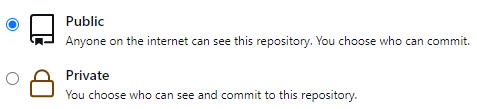
- You can restrict who has access to a repository by choosing the repository's visibility.
- Transfer this repository to another user or to an organization where you have the ability to create repositories.
- You can Archive repository to make it read-only for all users and indicate that it's no longer actively maintained. You can also unarchive repositories that have been archived.
Repositry Operations
- Create A New Repositry
- Create Repositry Template
- Clone A Repo
- Fork A Repo
- Transfer A Repo
- Change Visibility
- Archive A Repo
- Delete A Repo
Create A new Repositry
-
01.Create New Repo
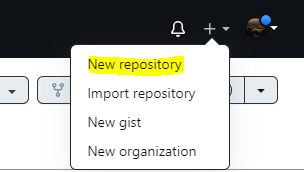
-
02.Give a meaningful Name
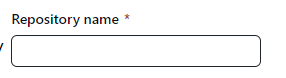
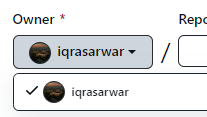
03.Switch Between Owners
-
04.Give description if you want

05.Choose the Visibility
-
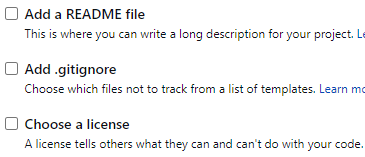
04.Optionals
Check the files you wnat to include.
05.Create It

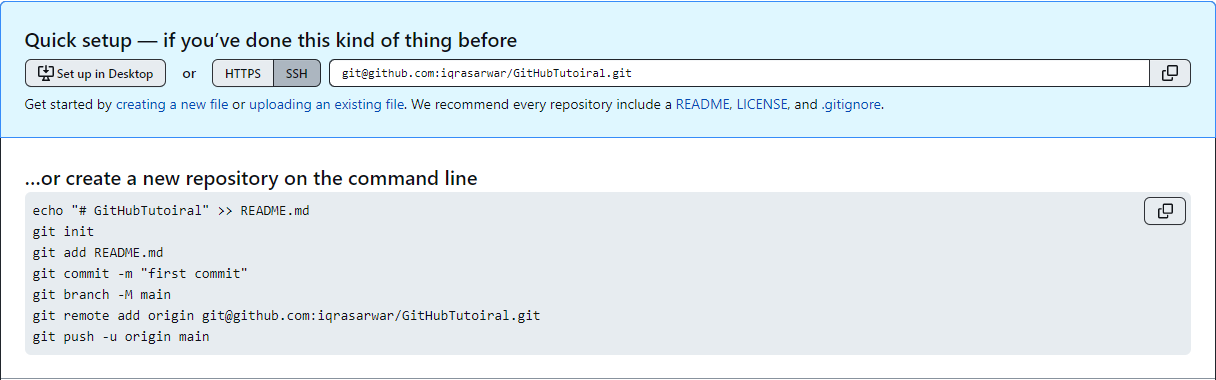
QuickSetup😂 - Seems Awfull!🙉
Creating a New File
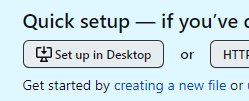
Start by creating New Files On Github.
You can start using github by creating new files. You can commit changes to that file and track the record of modifications.
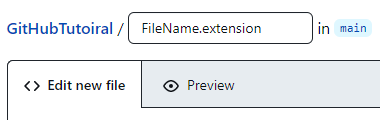
To create a new file, specify file name and the extension of file. Github will apply a proper color theme to the content in file. i.e. syntax will be highlighted.
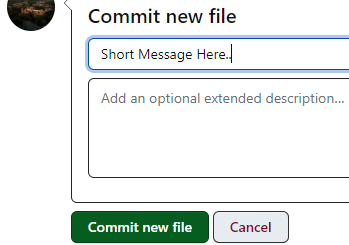
Before creating a commit, You can specify a short message and detailed describtion of the commit.
Upload an existing file
Start by creating New Files On Github.
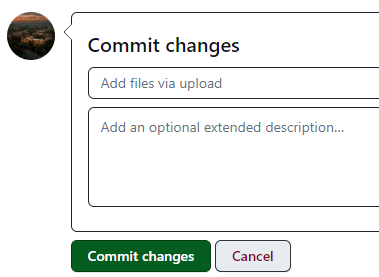
You can start using github by uploading new files. You can commit changes to that file and track the record of modifications.
you can upload files from your local system.

Before creating a commit, You can specify a short message and detailed describtion of the commit.
What is Git?
Breaking Down the Setup!
Configure Git
-
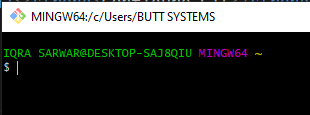
01.Launch Git Bash
-
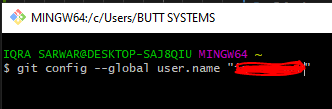
02.Config User Name
-
03.Config Email
You can use your primary email, or if privacy enabled navigate to Gihub Emails to get email.

Creating a Local Repositry
-
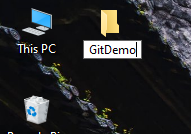
01. Create New Folder
Create a new folder. Give it a desired Name.
-
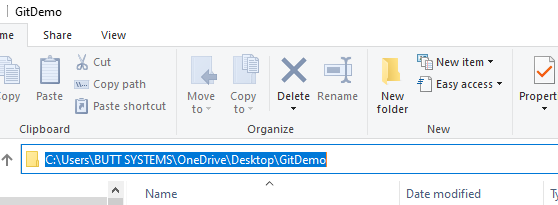
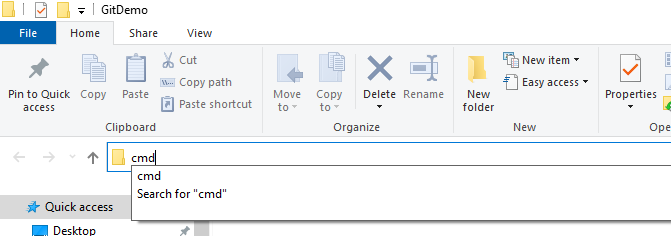
02. Open cmd/Git Bash here
Select the path in file explorer.Replace with cmd and hit enter.
-
03. Open in VS Code
Type and run command "code ." in terminal.This will open that folder in VS code.
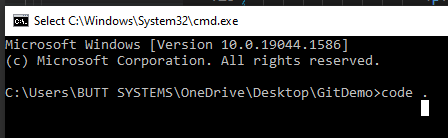
You can run futher commands from cmd or use intergrated terminal in vscode.
-
04. Initialize As Git Repositry
To open integrated terminal go to Terminal>New Terminal.
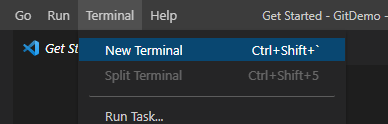
Type and run "git init" in terminal.Your folder is now intiallized as git repositry.

Understanding The Git Flow
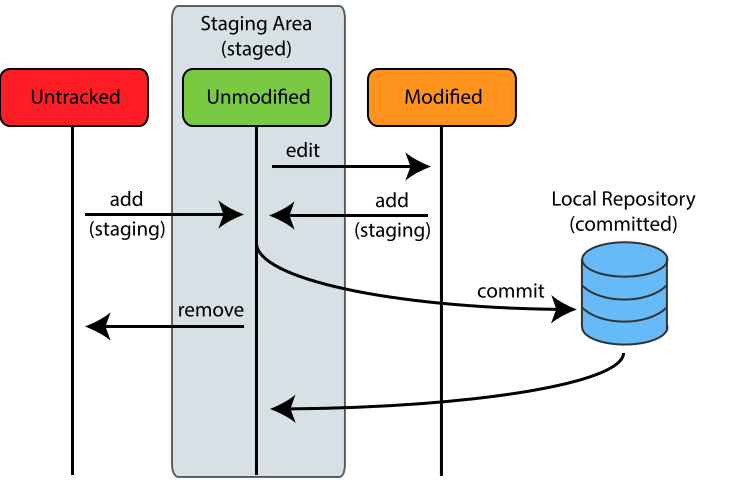
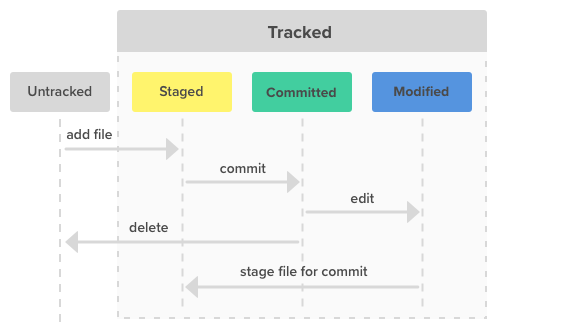
Completing The SetUp
-
git add README.md
This will add file to the staging area. using . instead of file name add all untracked files to stagging area.
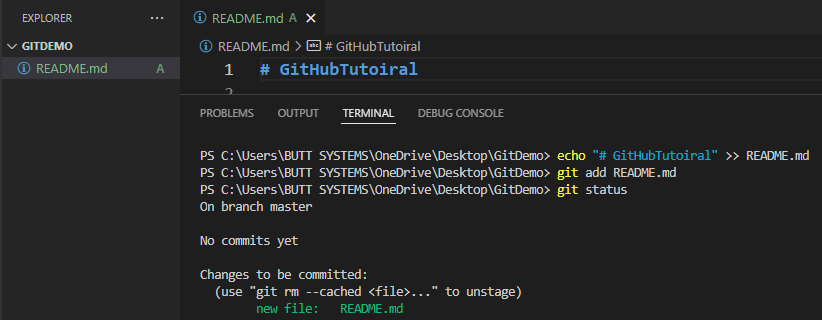
-
echo "# GitHubTutoiral" >> README.md
This command will create a README file and echo will write the specified message in it. This is an untracked file.
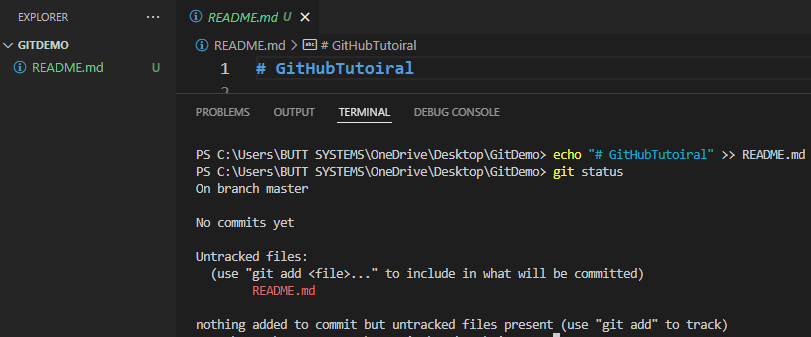
Completing The SetUp Cont..
-
git branch -M main"
A branch in Git is simply a lightweight movable pointer to [a commit]. The default branch name in Git is master. As you initially make commits, you're given a master branch that points to the last commit you made. Every time you commit, it moves forward automatically.
-M is a flag (shortcut) for --move --force per the docs page on git branch. It renames the branch main (since the default branch name for repositories created using the command line is master, while those created in GitHub [starting in Oct. 2020] have a default name of main) and forces it (allows renaming of the branch even if the new branch name already exists).
-
git commit -m "message"
This command will add the README file to stagging area leaving the working tree clean.
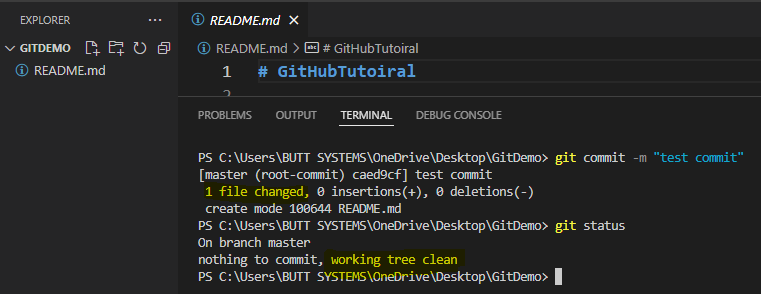
Completing The SetUp Cont..
-
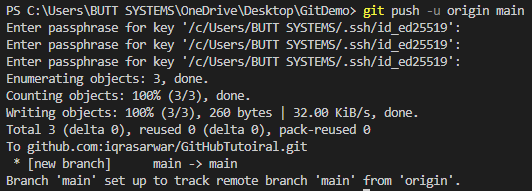
git push -u origin main
Push Command will upload the content of our local repostry to the remote repositry located at github whose url was added as remote by using the git remote add origin command.
-
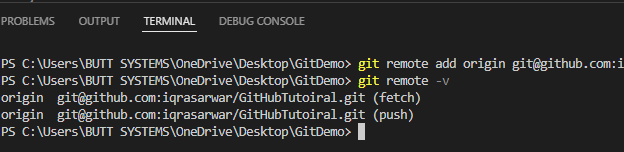
git remote add origin reposityUrl
This command will establish a connection between the local repositry and remote reposity located on github.You can vefit the added remote by git remote -v command.
Git Branches
A pointer to a snapshot of your changes
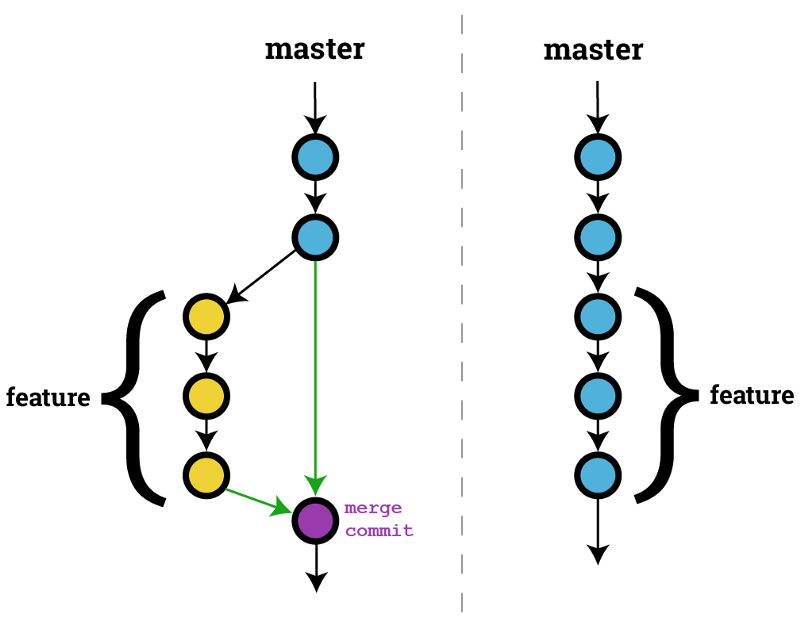
Branches are a part of your everyday development process. Git branches are effectively a pointer to a snapshot of your changes. When you want to add a new feature or fix a bug—no matter how big or how small—you spawn a new branch to encapsulate your changes. This makes it harder for unstable code to get merged into the main code base.
Git Merge Conflicts
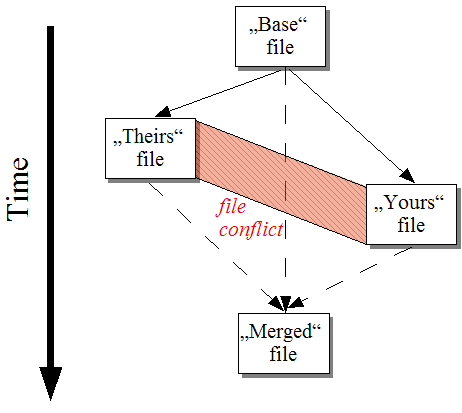
Version control systems are about managing contributions between multiple developers. Sometimes multiple developers may try to edit the same content. If Developer A tries to edit code that Developer B is editing a conflict may occur. To alleviate the occurrence of conflicts developers will work in separate isolated branches. The git merge command's primary responsibility is to combine separate branches and resolve any conflicting edits.
GitHub README
A README is a text file that introduces and explains a project. It contains information that is commonly required to understand what the project is about.
A very important thing to note is that there's not one right way to structure a good README. But there is one very wrong way, and that is to not include a README at all.
Licensing a repository
Public repositories on GitHub are often used to share open source software. For your repository to truly be open source, you'll need to license it so that others are free to use, change, and distribute the software.
IGNORED FILES(.GITIGNORE)
Ignored are files which Git has been explicitly told to ignore. These are usually build artifacts and machine generated files that can be derived from your repository source or should otherwise not be committed. Some common examples are:
- dependency caches, such as the contents of /node_modules or /packages
- compiled code, such as .o, .pyc, and .class files
- build output directories, such as /bin, /out, or /target
- files generated at runtime, such as .log, .lock, or .tmp
- hidden system files, such as .DS_Store or Thumbs.db
- personal IDE config files, such as .idea/workspace.xml
Ignored files are tracked in a special file named .gitignore that is checked in at the root of your repository. There is no explicit git ignore command: instead the .gitignore file must be edited and committed by hand when you have new files that you wish to ignore. .gitignore files contain patterns that are matched against file names in your repository to determine whether or not they should be ignored.